Available for Mac
Build smoother sets in minutes.
Import your Rekordbox collection, shape a direction by genre and duration, and export a playlist that feels ready to play.
Available for Mac
Import your Rekordbox collection, shape a direction by genre and duration, and export a playlist that feels ready to play.
Features
Designed for DJs who prep in Rekordbox and want less guesswork before they hit the decks.
Load your library directly from a Rekordbox XML export. Tracks, BPM values, Camelot keys, and genre tags all come with it.
Spot tracks missing BPM or key data at a glance. One click scans the audio files directly and detects tempo and Camelot key — no round-tripping through Rekordbox.
Filter by genre, set how long the set should run, and dial in your BPM range. boots.list handles the ordering.
Tracks are ordered so keys blend — same key, relative major/minor, or ±1 on the Camelot wheel. Harmonic flow without the spreadsheet.
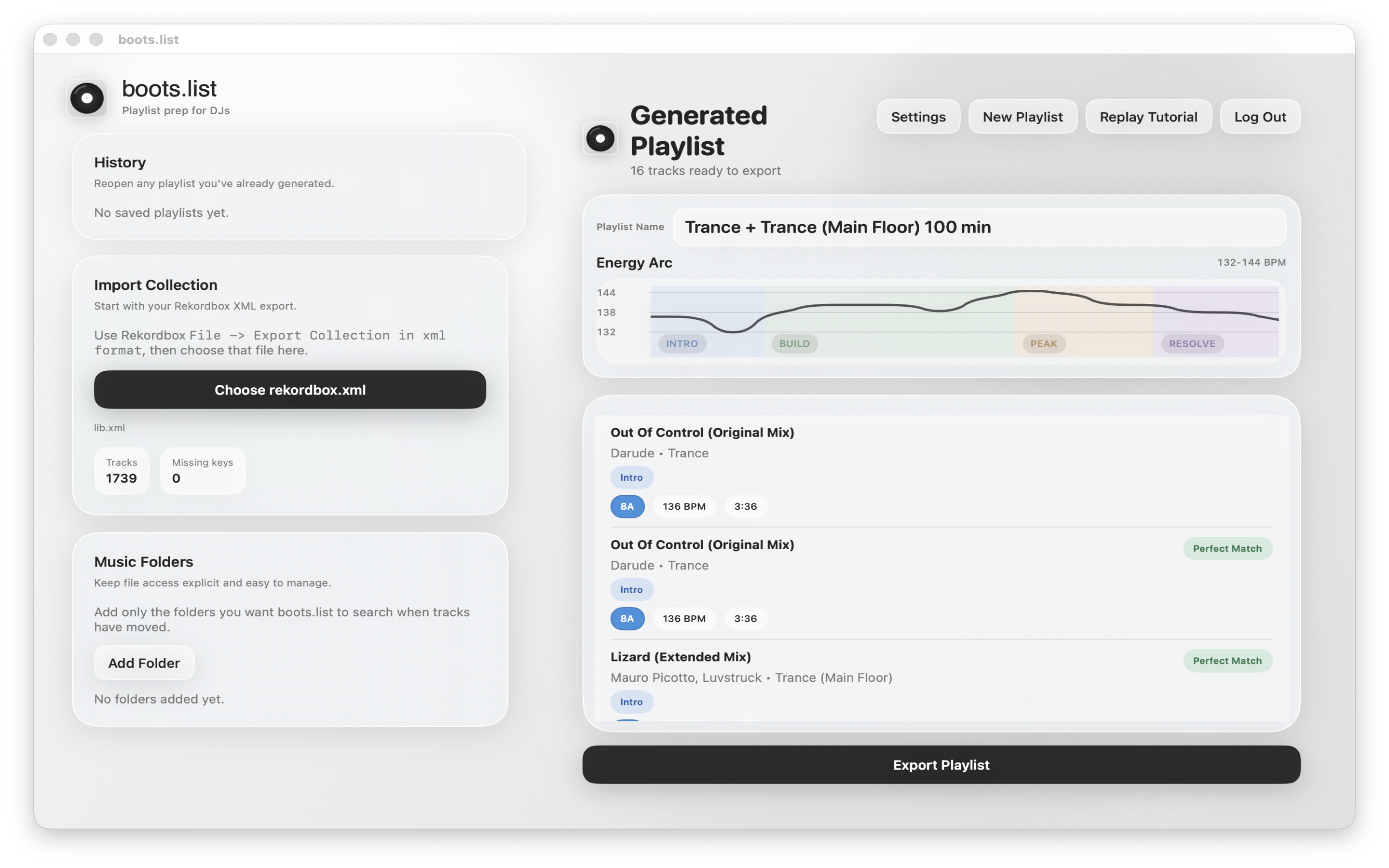
See your playlist plotted as a BPM chart, color-coded by set stage — intro, build, peak, resolve. Spot issues at a glance.
Save as an XML file and import it back into Rekordbox. Your cue points and loops stay untouched.
Every generated playlist is saved. Reopen, rename, and re-export any previous session without re-generating.
Your Rekordbox library never leaves your Mac. Only your account details are stored — everything else stays local.
How it works
In Rekordbox, go to File → Export Collection in XML format. This creates a snapshot of your library with all the metadata boots.list needs.
Open boots.list and choose your rekordbox.xml file. Your tracks, BPM values, Camelot keys, and genres load instantly — no cloud sync required.
If any tracks are missing BPM or key, hit Scan. boots.list analyses the audio files directly and fills in tempo and Camelot key. Skip this step if your library is already complete.
Pick a genre lane, set a target duration, and dial in your BPM range. Hit Generate and boots.list builds a set following a natural energy curve.
Check the energy arc, tweak the playlist name, and export as XML. Import it straight back into Rekordbox — cue points and loops intact.
Built for Rekordbox DJs